Skip to content
778g Sports / Mobile
LIVE LOBBY

778g — Slots, Live Tables and Cricket Betting, Funded Your Way

Deposit with bKash, Nagad or Rocket and your wallet is ready to use across slots, live casino and cricket markets — all from a mobile browser, no download needed. Access is subject to local law and eligible regions.

bKash Nagad Rocket
Browse games
CONTENT / 01

Games Visitors Open First on 778g

The titles that draw the most attention in the 778g lobby span a range of styles — from the fast pace of Crash Win Builder to the card-table rhythm of Baccarat Bright and the reel mechanics of Desert Diamond Slots.

  • Cricket Sportbook

    Cricket markets cover BPL rounds, international series and major tournaments. The sportsbook displays available fixtures and markets in the signed-in view. Place your selections after reviewing the markets shown — odds and availability update with the event schedule, so check the board when a series is live.

  • Baccarat Bright

    Baccarat Bright is a live casino table title available in the 778g lobby. The live dealer format means the game runs on a real table with a camera feed rather than a random-number engine, giving you the card

  • Crash Win Builder

    Crash Win Builder is a fast-round crash-style game where the multiplier climbs and you decide when to step out. Rounds are short, the interface is mobile-friendly, and the result of each round is settled before the next one starts. It sits in the casino section of the 778g lobby alongside other crash-format titles.

ACCOUNT DESK

Account information

Review current account information after signing in.

Login
DISCOVER / 01

Choose your game

Full lobby
LOCAL PAYMENTS

How bKash, Nagad, Rocket and Bank Transfer Work Here

Each payment method follows a distinct path, and knowing which suits your habit saves time. bKash is the rail most people reach for first — you enter the 778g deposit number shown in the cashier, send from your bKash app, and paste the transaction ID into the confirmation field. For Nagad, the process mirrors bKash closely — locate the merchant number in the cashier, initiate the transfer from the Nagad app, then return to 778g.club and submit your transaction ID. Rocket users follow the same confirmation-field approach. Bank Transfer requires you to copy the account details shown at the cashier and initiate the transfer from your bank's own portal or branch before submitting proof on site.

  • bKash

    Send from your bKash app to the deposit number shown in the 778g cashier. Paste the transaction ID into the confirmation field. The same reference appears in your account transaction history, so your phone record and site record match instantly. Hold your confirmation SMS until the wallet credit shows.

  • Nagad

    Nagad deposits follow the same pattern as bKash. The cashier displays the receiving Nagad number, you send from the Nagad app, and you enter the transaction reference in the confirmation box. Your Nagad SMS and the account record share that reference, making it simple to cross-check without contacting support.

  • Rocket

    Rocket is available for deposits when bKash and Nagad are busier or when you prefer Dutch-Bangla Bank's mobile wallet rail. The cashier flow is the same: receiving number, send from Rocket, paste the reference. Your Rocket confirmation message serves as your deposit proof if you ever need to raise a query.

  • Bank Transfer

    Bank Transfer suits larger deposits or those who want a formal bank record alongside their 778g transaction history. The cashier shows the account name and number. Initiate the transfer through your bank's app or counter.

Banking
MOBILE BROWSER ACCESS

How 778g Runs on Your Phone Without a Download

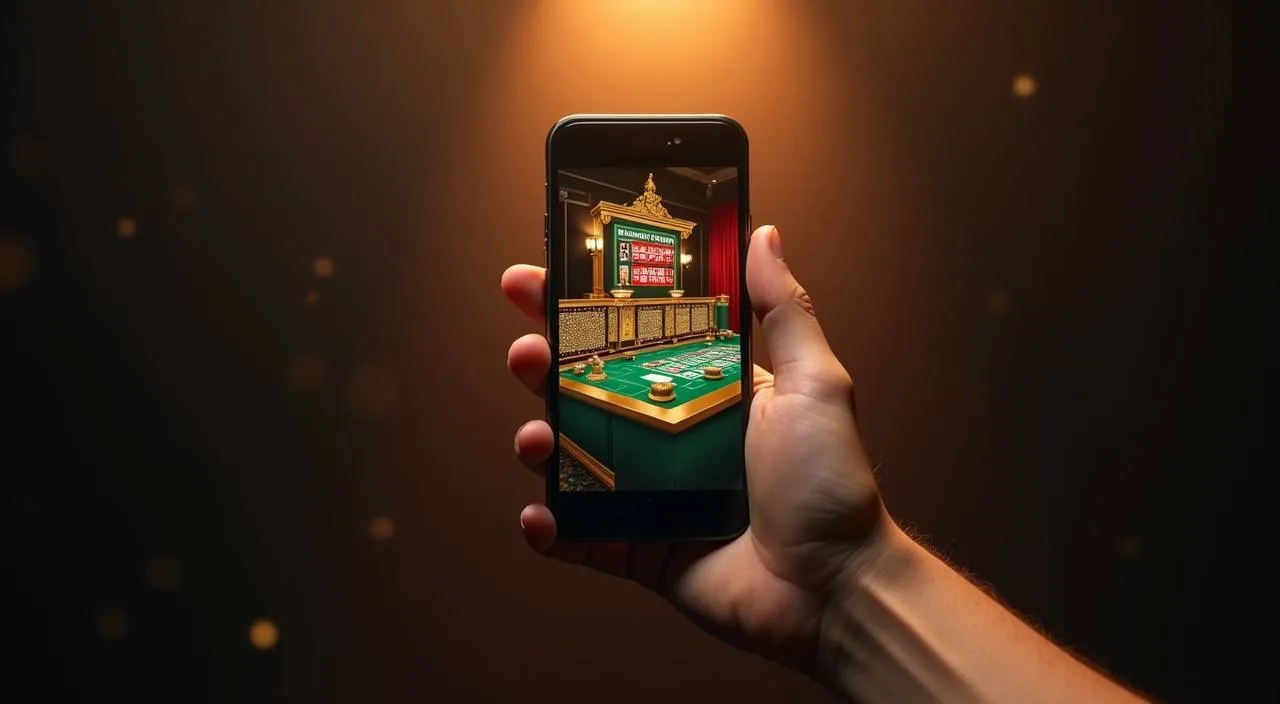
Every part of the 778g platform — cashier, wallet, lobby, sportsbook — loads through the mobile browser on Android and iOS. There is no app to download and no store approval to wait for. Open the browser on your phone, navigate to 778g, and the layout adjusts to your screen automatically.

  • No Download Required

    778g runs entirely in your mobile browser. Android and iOS both work. There is no APK file to sideload and no app store listing to search for. Navigate to the site, sign in, and the full lobby including payments, games and account settings is available in the same browser tab you opened.

  • Cashier on a Small Screen

    The cashier scales to portrait mode on any phone. Entering your bKash or Nagad transaction reference, viewing your deposit history and checking your current wallet balance all work without zooming or horizontal scrolling. The single-column layout keeps the deposit fields visible and the confirmation button reachable with one thumb.

  • Session Continuity

    If you switch apps or close the browser, your 778g session state is saved server-side. Come back, sign in again, and your wallet balance and any open page are exactly as you left them.

CONTENT / 03

How 778g Runs on Your Phone Without a Download

Every part of the 778g platform — cashier, wallet, lobby, sportsbook — loads through the mobile browser on Android and iOS. There is no app to download and no store approval to wait for. Open the browser on your phone, navigate to 778g, and the layout adjusts to your screen automatically.

  • No Download Required

    778g runs entirely in your mobile browser. Android and iOS both work. There is no APK file to sideload and no app store listing to search for. Navigate to the site, sign in, and the full lobby including payments, games and account settings is available in the same browser tab you opened.

  • Cashier on a Small Screen

    The cashier scales to portrait mode on any phone. Entering your bKash or Nagad transaction reference, viewing your deposit history and checking your current wallet balance all work without zooming or horizontal scrolling. The single-column layout keeps the deposit fields visible and the confirmation button reachable with one thumb.

  • Session Continuity

    If you switch apps or close the browser, your 778g session state is saved server-side. Come back, sign in again, and your wallet balance and any open page are exactly as you left them.

GAME NETWORK
Pragmatic Play
Habanero
Bigtime Gaming
PG Soft
CONTENT / 04

778g lobby studios

The 778g lobby carries content from Pragmatic Play, Habanero, Bigtime Gaming, PG Soft. To check the studio, rules or features of one specific game, open that game card or the published information panel.

  • Pragmatic Play

  • Habanero

  • Bigtime Gaming

  • PG Soft

PLAYER SPOTLIGHT

Desert Diamond Slots and the Account Path Behind It

Desert Diamond Slots is a reel-based slot title in the 778g casino lobby. Opening it takes two steps from the home screen: select the casino section, then find the title by name or scroll the slot grid.

  • Desert Diamond Slots

    A reel-slot title from the 778g casino lobby. The game info panel shows bet range and RTP where the studio has made that figure available.

  • Roulette Wildcard

    Roulette Wildcard is a table-format game in the casino section. It follows standard roulette mechanics with the bet grid, chip selection and spin result visible on screen. Whether you access it on desktop or mobile browser, the interface adjusts to your display. Check the game panel for the available chip denominations before placing.

  • Football Betonsite

    Football Betonsite sits in the sportsbook section alongside cricket markets. Football fixtures and available betting markets are displayed in the signed-in view; the range updates with the event schedule. If you follow both cricket and football, you can navigate between the two sportsbook categories without leaving the account session.

ACCOUNT PATH

From Registration to First Deposit in Four Steps

Getting from a new visit to a funded wallet on 778g follows a clear sequence, and each step is visible in the interface without needing to contact support. If any step is unclear, the on-screen prompts guide you forward, and the cashier screen will indicate when a submission is received.

  1. Step 1 — Register

    Open the account registration page from the 778g home screen. Fill in your email, password and the account details requested in the form. Each required field is labelled. The form will not submit until all required fields are completed correctly, so you will know immediately if something needs correcting before your account is created.

  2. Step 2 — Verify Email

    After registering, check your email inbox for a confirmation message from 778g. Click the verification link inside it to confirm your email address. This step activates your account and unlocks the cashier. If the email takes a few minutes, check your spam or junk folder before requesting a resend from the login screen.

  3. Step 3 — Sign In

    Use your registered email and password to sign in for the first time. The account home screen shows your wallet balance and the navigation menu. From here you can reach the cashier, browse the lobby, or check account settings. Your wallet starts at zero until your first deposit clears.

  4. Step 4 — Deposit

    Open the cashier and choose bKash, Nagad, Rocket or Bank Transfer. The cashier shows the receiving account details and a reference field. Complete the payment on your mobile wallet or bank app, then enter the transaction reference in the cashier field and submit. Your wallet updates once the payment is matched on our side.

MEMBER DESK / 06

Offers, support and account controls

01

Game lobby

02

Payment guide

03

Support

TRUST / 03

Where to Get Help with Your 778g Account

Support for 778g accounts is available through the channels shown in the signed-in help section. For payment queries — a deposit that has not reflected, a withdrawal that is pending longer than the standard window shown in your account, or a transaction reference you need to cross-check — write out the transaction reference number before contacting the team, as it shortens the verification process considerably. The help section also lists expected response windows for each channel.

  • Payment Query Support

    If your bKash, Nagad, Rocket or Bank Transfer deposit has not appeared in your wallet after the expected window, open the support contact form in your account area. Attach your transaction reference or confirmation screenshot.

  • Account Access Help

    Login issues, password resets and email verification are all handled through the account help section. The self-service reset flow walks you through verifying your email address and setting a new password.

  • General Lobby Questions

    Questions about game availability, studio titles, sportsbook markets or account settings are covered in the help section and through live chat when it is active.

Learn more →
TRUST / 03

What We Keep Consistent Across Every Account

778g is built to give every account holder a clear picture of their wallet and transaction records at all times. The account history screen shows every deposit, withdrawal and game session result without requiring a support request to access it — you can check your own records from any signed-in session, on mobile or desktop. Session records include timestamps and amounts, so you can review activity by date range directly in your account history without third-party tools.

  • Transparent Transaction Records

    Every deposit and withdrawal is logged in your account history with the payment channel, taka amount and timestamp recorded. The reference visible in your account matches the reference in your bKash, Nagad, Rocket or bank confirmation.

  • Account Balance Accuracy

    The wallet balance shown on your account home screen reflects your current funded amount after each deposit, withdrawal or settled game round is processed. Check the transaction history screen to confirm any movement.

  • Session and Game Records

    The result of each slot round, live table hand or sportsbook settlement is available in your account history after the session ends. You can review a session by date, game title or settlement type.

  • Access Subject to Local Law

    Availability of 778g games, casino tables and sportsbook markets depends on your local law and eligible regions. We do not make legal claims on your behalf.

Learn more →
PLAYER INDEX / 07

Common Payment Questions for New 778g Accounts

If you are new to funding an online account with a mobile wallet, a few terms come up repeatedly in the deposit flow. Understanding them before you start saves time at the cashier screen. A transaction ID is the unique reference your mobile wallet generates after every send — it is not the same as your wallet phone number. The cashier confirmation field specifically requires this ID, not your personal number or PIN.

Player guide and glossary
  • What is a transaction reference and where do I find it?

    A transaction reference is the unique code generated when you send money through bKash, Nagad, Rocket or your bank.

  • Why does the cashier show a different bKash number each time?

    The receiving bKash or Nagad number shown in the cashier may rotate between available deposit accounts. This is normal. Always use the number displayed in your current cashier session rather than one you noted from a previous deposit.

  • How long does a Bank Transfer deposit take to appear in my wallet?

    Bank Transfer deposits depend on your bank's processing schedule rather than 778g's internal system. Interbank transfers in Bangladesh can take from a few hours to the next business day depending on your bank and the time of submission.

  • Can I use more than one payment method on the same account?

    Yes. Your 778g account can receive deposits from bKash, Nagad, Rocket and Bank Transfer over time. Each deposit is recorded separately in your transaction history with the channel name and amount. You are not locked to a single rail after your first deposit.

  • What should I do if my Rocket deposit is not showing in my wallet?

    First confirm that the send was successful on the Rocket side — your Rocket app or SMS should show a confirmed transaction with a reference code. If the send was successful, open the support contact form in your 778g account area and include the Rocket transaction reference, the amount and the time of the send.

  • Is the taka amount I deposit the same amount credited to my wallet?

    The amount credited to your 778g wallet reflects the amount received after any applicable processing conditions shown in the cashier at the time of deposit. The cashier screen and your transaction history both display the credited amount in taka.

  • Can I withdraw back to the same bKash number I deposited from?

    Withdrawal routes and conditions are shown in the account cashier under the withdrawal section. In many cases, withdrawals are routed back to the same payment channel used for the most recent qualifying deposit, but the exact rules and any verification steps are displayed in your account at the time you request a

Full glossary
EXPLORE FURTHER / 04

Explore detailed guides

Local lobby check

LOBBY / 02

One mobile lobby, distinct game areas

Cricket Sportbook Sports Cricket Sportbook Access → Baccarat Bright Live Baccarat Bright Access → Desert Diamond Slots Slots Desert Diamond Slots Access → Football Betonsite Sports Football Betonsite Access → Crash Win Builder Slots Crash Win Builder Access → Roulette Wildcard Live Roulette Wildcard Access →
QUICK ANSWERS

Frequently asked questions

The questions below cover the account, lobby and game topics that come up most often for new accounts in Bangladesh. Each answer points to the part of the platform where you can verify the detail yourself — cashier screen, account history, game info panel or help section.

Read FAQ →
What games are available in the 778g lobby?

The 778g lobby carries slots, live casino tables and a sportsbook. Slot and live casino content comes from Pragmatic Play, Habanero, Bigtime Gaming and PG Soft. Named titles available include Baccarat Bright, Desert Diamond Slots, Crash Win Builder, Roulette Wildcard, Cricket Sportbook and Football Betonsite.

Do I need to download an app to use 778g on my phone?

No download is needed. The entire 778g platform runs through your mobile browser on Android and iOS. Navigate to 778g in Chrome, Firefox or your phone's default browser and the layout adjusts automatically to your screen size. The cashier, wallet, game lobby and sportsbook all work in the same browser session.

How do I check my deposit and withdrawal history?

Sign in to your account and navigate to the transaction history section, usually accessible from the account menu or wallet screen. Each entry shows the payment channel (bKash, Nagad, Rocket or Bank Transfer), the taka amount, the direction (deposit or withdrawal) and the timestamp.

Can I bet on cricket matches through 778g?

Yes. Cricket Sportbook is part of the 778g sportsbook section. Available fixtures and markets are shown in the signed-in sportsbook view and update with the event schedule. BPL rounds and international series are among the cricket categories covered.

What do I do if I forget my 778g account password?

From the 778g login screen, select the forgotten password option. You will be prompted to enter your registered email address. A reset link is sent to that address. Follow the link, enter your new password in the fields shown and confirm it. Once reset, you can sign in immediately with the new password.

Are the RTP figures for slot games shown on the site?

RTP information is displayed only where the game studio — Pragmatic Play, Habanero, Bigtime Gaming or PG Soft — has published the figure and exposed it within the game interface. To check the RTP for a specific title, open the game and look for the info or paytable panel inside it.

Who can open a 778g account?

Account eligibility depends on your local law and the eligible regions 778g operates in. The registration form shows the requirements at the point of sign-up. We do not override local legal restrictions.

How do I contact 778g support if something goes wrong?

The help section in your signed-in account area is the starting point. For payment queries, use the contact form and include your transaction reference from bKash, Nagad, Rocket or your bank. For account access issues, the same help section links to the password reset and email verification flows.

READY WHEN YOU ARE

778g game lobby

Access may be available only where local law permits.

Register Login